Varen er på fjernlager, leveringstiden er 6-8 hverdager. Mere info
Leveringsalternativer - Velges i kassen
Instabox - Velg din nærmeste pakkeboks
59,00
Bring – Leveres til pakkeboks nær deg
59,00
Bring – Leveres på hentested nær deg
59,00
PorterBuddy - Fleksibel hjemlevering - levert på døren på kvelden
174,00
Bring - Fleksibel hjemlevering - Levering til døren (om kvelden i større byer)
199,00
Vis alle leveringsalternativer (5)
Fraktprisen er basert på levering til dette postnummer:0015 - OSLO Skift postnummer
Oppgi postnummer for levering. Lagre
NOK
799,00
eksklusiv MVA 639,20
Totalt inkl. frakt
858,00
Denne funksjonen krever at man er logget inn. Opprett en bruker og liste systemet for å holde styr på fremtidige kjøp eller ønskelister. Opprett bruker Login
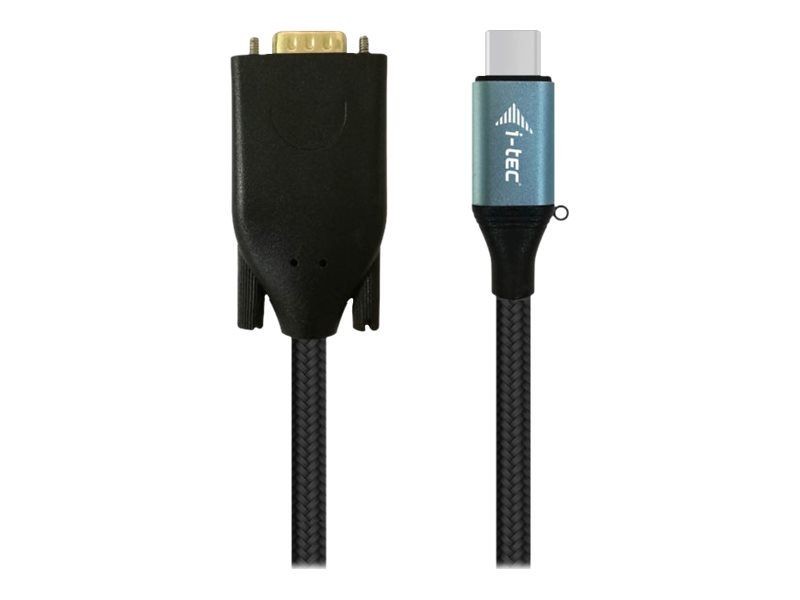
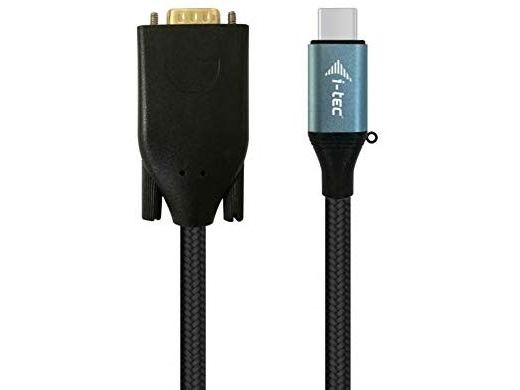
Expand your desktop to external VGA monitor via new USB-C or Thunderbolt 3 connector. This cable adapter supports the transfer up to 1080P, resolution up to 1920 x 1080 pixels.
The cable adapter is suitable for use with all notebooks equipped with a USB-C connector which supports video transfer (DisplayPort alt Mode) or with a Thunderbolt 3 connector (including Apple MacBook 2015 or Apple MacBook Pro 2016 and later). The USB-C and Thunderbolt 3 connectors have many benefits. They are smaller and symmetrical, which makes them easy to connect because you do not have to care about connector orientation.
The cable adapter is the excellent choice for designers, graphic designers, gamers, and other users working with more than one screen simultaneously. Using the “Extend” and “Mirror” modes you can work for example with applications on two monitors (e.g., wide spreadsheets), or you can work on the first screen and search for information on the Internet on the second screen, you can compare several documents simultaneously without constant switching among the open windows, you can display panoramic images on two screens without the need to have another computer etc.
Using is very simple, just plug the cable adapter into the USB-C or Thunderbolt 3 port on your computer, connect it with a display device via Display Port connector and you can immediately start using. Driver installation is automatic from the system.
Please make sure to check a compatibility of your device, whether it meets all the requirements for an operation of the specific i-tec product, especially video output (Display Port Alt mode). If your device would not be fully compatible, your new i-tec product may not operate correctly. You may find the specifications your device (i.e. USB port), in a user manual supplied with your notebook/tablet/smartphone, or – alternatively – via customer service provided by a manufacturer of your device.
Hvorfor ser jeg at det samme produktet er tilgjengelig på forskjellige varenumre?
Produsenter lanserer ofte det samme produktet med forskjellige varenumre, vanligvis bare forskjellige versjoner av emballasjen. For eksempel kan emballasjen være rettet mot forskjellige land.
Vi gjør vårt beste for å forene produktene, men det kan skje at det samme produktet vises på forskjellige varenumre i systemet vårt.