PorterBuddy - Fleksibel hjemlevering - levert på døren på kvelden
174,00
Bring - Fleksibel hjemlevering - Levering til døren (om kvelden i større byer)
199,00
Vis alle leveringsalternativer (5)
Fraktprisen er basert på levering til dette postnummer:0015 - OSLO Skift postnummer
Oppgi postnummer for levering. Lagre
NOK
1.635,00
eksklusiv MVA 1.308,00
Totalt inkl. frakt
1.635,00
Gi meg beskjed når varen er på lager igjen.
Email:
Lageragent opprettet, vi sender en mail når varen er på lager igjen!
Denne funksjonen krever at man er logget inn. Opprett en bruker og liste systemet for å holde styr på fremtidige kjøp eller ønskelister. Opprett bruker Login
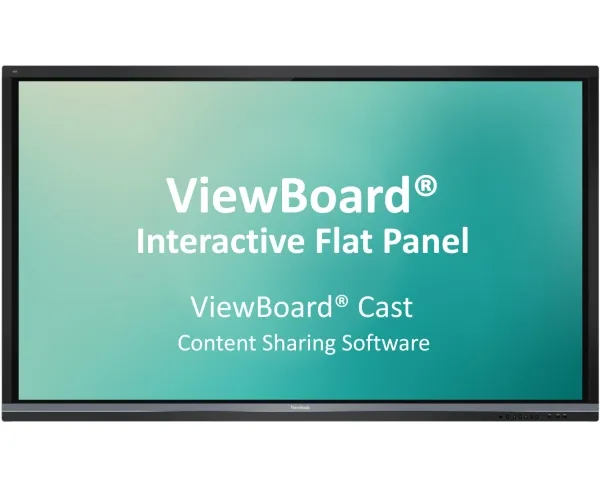
ViewBoard® Cast is an app for content sharing among mobile devices that enables 1080p content to be streamed from a user’s device onto ViewBoard® over wireless or cable networks. Content that can be broadcasted from mobile devices and shown on ViewBoard®’s large screen includes multimedia, documents, cloud files, and any content that can be used by multiple users simultaneously for real-time annotations. A host can control displayed content broadcasted from Window/Mac/Chrome OS laptops while Android and iOS device participants are able to use ViewBoard® Cast’s specialized annotation toolbar and control ViewBoard® remotely. Whether in class or in a meeting, ViewBoard® Cast makes teaching and group discussion quick and easy.
Compatible with Mobile Devices
Windows, Mac, Chrome, iOS, and Android users are able to connect to ViewBoard® over wireless and wired networks. Simply download the mobile app vCastSender* and connect to the ViewBoard® shared screen. *Download the vCastSender app for Chrome/Android/iOS
Presenting: Instant Wireless Presentations on Windows, Mac, Chrome, Android, and iOS
With just one click presenters can transmit content to ViewBoard® wirelessly to be displayed for all participants without monotonous setup and cable connection issues.
Participating: Simultaneous Mirroring on Android and iOS Devices
All Android and iOS users are able to mirror the content displayed on ViewBoard® in the same domain name system (DNS) no matter where they are in the room.
Participating: Simultaneous Annotating on Android and iOS Devices
All Android and iOS users are able to annotate on content displayed on ViewBoard® in the same domain name system (DNS) no matter where they are in the room.
Hosting: Annotation on ViewBoard® Mirrored to All
Hosts can annotate directly onto ViewBoard® content while simultaneously transmitting their annotations to all Android and iOS users.
Hosting: Touch Feedback Remote Control
During a discussion, hosts can access and control the presenter’s Windows or Mac device remotely via ViewBoard®’s touch feedback remote control, thus sharing control of the presenter’s device. Any changes made will be transmitted to all mobile users.
Hosting: Moderator Mode for Previewing and Managing Group Presentations
Moderator mode allows max. 30 - 50+ laptop participants to be connected simultaneously.* Hosts can preview, turn off, switch between, and annotate on any screen connected on ViewBoard®. *Number of participants will vary depending on PC performance, internet bandwidth, and router configuration. *ViewBoard® Cast Windows version only.
Hosting: Split Screen for Mirrored Screen Overview
From side-by-side to multiple screens*, ViewBoard® enables all presenters to share their screens while not showing the ones a host has turned off. *Number of participants will vary depending on PC performance, internet bandwidth, and router configuration. *ViewBoard® Cast Android version not supported on IFPXX60.
Hosting: Broadcast to All
With support for Windows, Mac, Chrome, Android, and iOS, hosts can mirror a screen on ViewBoard® to all attendees at any time. Whether for meetings or in classes, notes can be saved as an image file by ViewBoard®’s embedded software in an instant. *ViewBoard® Cast Windows version only.
Kompatibilitet
Windows, Mac, Chrome, iOS, Android
Antall per pakke
1 stykker
Produktet har følgende varenummer i vårt system:
SKU:
SW-101
Hvorfor ser jeg at det samme produktet er tilgjengelig på forskjellige varenumre?
Produsenter lanserer ofte det samme produktet med forskjellige varenumre, vanligvis bare forskjellige versjoner av emballasjen. For eksempel kan emballasjen være rettet mot forskjellige land.
Vi gjør vårt beste for å forene produktene, men det kan skje at det samme produktet vises på forskjellige varenumre i systemet vårt.