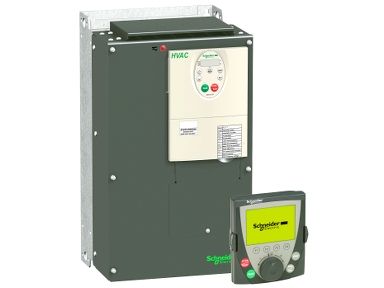
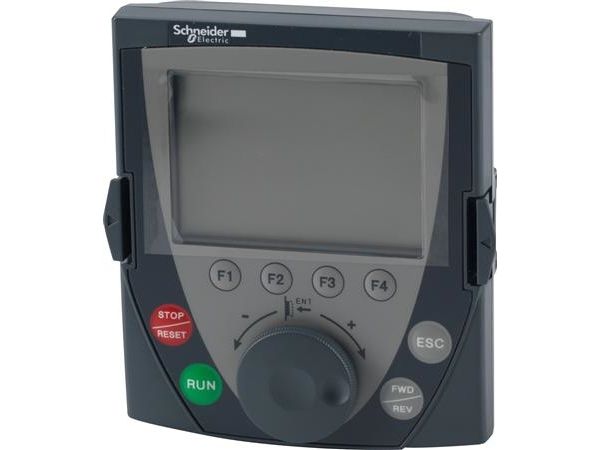
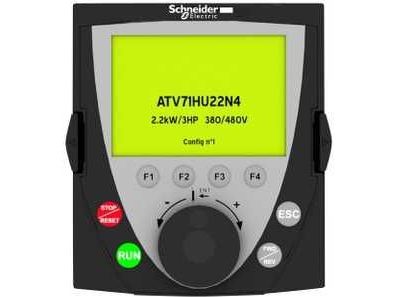
Schneider Electric Remote Graphic Display Terminal - VW3 A1 For controlling, displaying current values, adjusting or configuring drives Schneider Electric presents the VW3 A1 a compact user-friendly display terminal that is easy to use. A large number of the Altivar range are compatible with this accessory, including; Altivar 312, Altivar 61, Altivar Lift, Altivar 32, Altivar Machine, ATV320, Altivar 312 Solar, Altivar 212, Altivar 71, Altivar 61Q and the Altivar 71Q. Simply attache the VW3 A1 to the front of the drive and use it remotely in conjunction with the appropriate accessories. Included is an integrated 7 segment display terminal which can be connected to several drives via multidrop link components. Current values such as motor, input and output are displayed whilst configurations can be saved and downloaded, up to 4 configurations can be saved at any one time. Supporting the display of bar charts the graphic display can be read up to 5 meters away due to the large digits of 240 x 160 pixels. Offering many other solutions also such as assignable function keys, dialogue functions, helps screens, easy navigation, application functions, STOP/RESET buttons and a RUN key for local control of motor operations. Features and Benefits: - 8 line message display capacity - 240 x 160 pixel resolution - -15 to 50 ?°C operating temperature - Control, adjust, configure, save and download - 4 configurations can be saved at one time - IP54 degree of protection Applications - Industrial, Heating, Ventilation and air conditioning. (HVAC) Accessories & Parts - Remote mounting kit VW3A1102 ( 532-9362 ) - Door VW3A1103 ( 532-9378 ) - RJ45 Cables VW3A104R10 ( 532-9413 ) - VW3A104R30 ( 532-9413 ) - VW3A104R50 ( 532-9429 ) - VW3A104R100 ( 532-9407 ) - Female RJ45 Adapter VW3A105 ( 534-9401 ) Schneider Electric Inverter Module - VW3A1101 This keypad accessory enhances the functionality of various inverter drives, allowing effective control and configuration of systems while providing real-time data displays. Its importance lies in facilitating adjustments and monitoring operational parameters, making it a valuable tool for automation and control in industrial settings. Features & Benefits - Enables real-time drive control and adjustments - Specifically compatible with the Altivar series - Displays information on an 8-line message screen - Features an IP54 rating, ensuring protection against dust and moisture - Compact design suitable for mounting on enclosure doors - Supports multiple languages for user convenience Applications - Used with Altivar 212 for configuration management - Enhances operations of Altivar 312 and 32 - Essential for Altivar 61 series and 71 module drives - Applicable in systems requiring real-time operational updates How can I install it securely? Installation typically involves mounting it on an enclosure door for easy accessibility during adjustments. What languages are supported for display messages? It supports various languages, including Italian, French, Spanish, and German. Can it be used in different temperature environments? Yes, it operates effectively in ambient temperatures ranging from -15?°C to 50?°C. What information is displayed on the screen? The display shows current values, configurations, and allows users to save settings. Is there any specific maintenance needed for this accessory? Regular checks for mounting stability and the cleanliness of the screen are advisable to ensure optimal performance.
Produktet har følgende varenummer i vårt system:
EAN:
3389118069305
SKU:
3389118069305
Hvorfor ser jeg at det samme produktet er tilgjengelig på forskjellige varenumre?
Produsenter lanserer ofte det samme produktet med forskjellige varenumre, vanligvis bare forskjellige versjoner av emballasjen. For eksempel kan emballasjen være rettet mot forskjellige land.
Vi gjør vårt beste for å forene produktene, men det kan skje at det samme produktet vises på forskjellige varenumre i systemet vårt.